


Smartsheet: Projects & Teams
4.81.19K Reviews
App Specs
- Version
- 26.15.0.27807
- Updated On
- License
- Free
- Downloads
- 1,000,000+
- Developer
- Smartsheet Inc.
- Categories
- Business
- Platform
- Android, iOS
Screenshots
 Analysis by AppCompare
When I first opened Smartsheet: Projects & Teams, I understood the appeal quickly: it puts project work, shared responsibilities, and progress updates in one business-focused workspace instead of scattering them across chats, spreadsheets, and separate task lists. I would not describe it as a casual to-do app. It is aimed at people who need a clearer view of moving work, especially when several contributors must stay aligned.
That distinction matters. Smartsheet is published by Smartsheet Inc. and is available as a free app for Android and iOS users. It is rated for Everyone, so its audience is broad, but the practical value is strongest for teams, managers, coordinators, freelancers handling client work, and anyone who already thinks in projects rather than isolated reminders. After spending time with it, my main question was not whether it can look useful during the first week. It can. The more important question is whether it deserves a permanent place in a working routine once the initial enthusiasm disappears.
Why the first week feels productive
The first benefit is visibility. A normal personal task app asks, “What do I need to do?” Smartsheet encourages a wider question: “What is happening across this piece of work, who is involved, and what needs attention next?” That broader view is valuable when a project has dependencies, changing priorities, and updates coming from several people.
I found the app most convincing when used as a shared reference point. Instead of asking a colleague for the latest status in a message, I could look at the project workspace and use the information already organized there. That reduces the familiar problem of decisions living inside private conversations. The app becomes more useful as a team agrees to treat it as the place where current work is recorded.
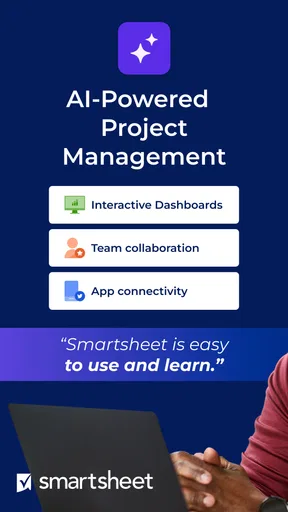
The AI-powered project angle is also part of the first impression. It suggests a more intelligent way to organize work than simply copying rows from a spreadsheet. In practice, the benefit depends on how clearly the project is described and how consistently the team maintains it. AI does not remove the need for judgment. It can help accelerate planning and organization, but someone still needs to decide what is realistic, which task matters most, and whether a deadline reflects actual capacity.
A practical first-week setup should stay deliberately small. I would begin with one active project, define the outcome, add the people who genuinely contribute, and establish a short list of next actions. Creating a giant workspace for every department before anyone has learned the routine is a reliable way to make the app feel complicated. The best early test is not how many areas can be created; it is whether a teammate can open the project and understand what requires attention without asking for a tour.
One useful habit is to separate information that helps execution from information that merely documents history. A project can quickly become crowded with notes, old decisions, attachments, and repeated status comments. I prefer keeping the active view focused on current work while using supporting areas for background material. That makes the app feel less like an archive and more like a working dashboard.
Worth Reading Before You Choose

EA SPORTS FC Mobile 26 Is a Bigger Football Game, but It Takes Time

Flipboard Shows What News Apps Must Do Beyond the Feed

Switching to Android Auto Means Rethinking Your Driving Routine

Google Calendar Makes a Crowded Week Easier to Manage

Ludo King Makes the Most of the Minutes Between Plans

Baby Panda World Brings Quick Play to Modern Phones, but Its Game Library Feels Busy
The mobile experience is particularly helpful for quick checks. I can imagine a manager reviewing progress between meetings, a consultant checking a client project while away from a desk, or a team member confirming the next assignment before starting the day. I would not choose a phone screen for every detailed planning task, but it is valuable when the alternative is relying on memory or searching through a long message thread.
A realistic everyday workflow
Imagine a small marketing team preparing a campaign. One person owns the schedule, another supplies creative material, and a third checks the final copy. In a basic chat-based workflow, each person may post updates in different conversations. The coordinator then spends time reconstructing the state of the campaign. With Smartsheet, the team can use a shared project structure to show what is waiting, what is underway, and what has been completed.
The important advantage is not merely seeing a list. It is making responsibility visible. If a task is blocked because another item is unfinished, the team can discuss the dependency rather than repeatedly asking whether the work has started. That changes the quality of the conversation. I spend less time collecting status and more time resolving the reason something is delayed.
For a solo user, the benefit is more conditional. If your work is mostly a handful of personal reminders, Smartsheet may feel heavier than a simple notes app or lightweight task manager. It becomes worthwhile when your personal work has stages, outside collaborators, recurring deliverables, or enough moving parts that a normal checklist stops telling the whole story.
What remains valuable after the novelty fades
The lasting value comes from repeatable coordination, not from opening the app and admiring a well-organized project. A workspace earns its place when it helps a team make fewer repeated requests, spot stalled work earlier, and preserve decisions that would otherwise vanish in conversation. Those benefits compound gradually, which is why the first week can be impressive while the second month gives the more honest verdict.
For recurring work, I would use a consistent project pattern. Keep naming predictable, assign clear ownership, and finish each cycle by cleaning up what is no longer active. This is one of the less obvious trade-offs: the app can support a disciplined operating rhythm, but it cannot create that rhythm automatically. If each project is structured differently, people spend their time learning the structure instead of doing the work.
Another useful approach is to treat status updates as decisions, not diary entries. A weak update says that someone is still working on a task. A stronger update explains what changed, what is blocked, and what should happen next. That makes the shared workspace valuable to people who were not present for the original discussion. It also keeps the mobile view useful, because a concise, meaningful update is easier to scan than a long stream of commentary.
I would also avoid turning every possible activity into a tracked item. This is where Smartsheet can lose its practical edge. Tracking everything creates the appearance of control while increasing the work required to keep the system current. I prefer using it for outcomes, handoffs, approvals, and meaningful milestones. Small actions that take only a moment may not deserve their own place unless they affect another person or a deadline.
The app’s business orientation makes it more suitable for structured collaboration than for spontaneous brainstorming. If a team needs a place to collect rough ideas quickly, a whiteboard-style tool may feel more natural at the beginning. Smartsheet becomes stronger when those ideas have been selected and need to become accountable work. In other words, I see it as a system for turning plans into coordinated execution, not as the best first stop for unfiltered creativity.
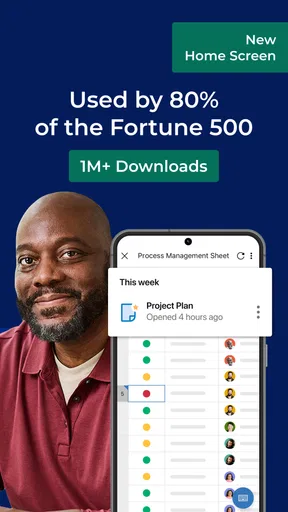
Its popularity gives some context without deciding the issue for me. Smartsheet has an average rating of 4.8 from around 29 thousand ratings, with about 1.2 thousand written reviews and over 1 million installs. Those figures suggest that many users find the approach worthwhile, but they do not remove the need to match the app to your working style. A highly rated project tool can still be the wrong choice for someone who wants a minimal personal checklist.
The maintenance work you should expect
The main ongoing cost is not usually opening the app. It is keeping the information trustworthy. A project workspace that shows outdated ownership or completed work as active quickly loses authority. Once people stop believing that the displayed status is current, they return to private messages and personal notes. At that point, the app remains installed but no longer serves as the team’s shared memory.
I would assign a regular review habit to a real person rather than assuming everyone will maintain everything equally. That review can check stale tasks, unclear owners, unrealistic dates, and items that have quietly changed scope. The exact schedule depends on the project, but the principle is constant: a shared system needs an owner for its cleanliness.
There is also a human maintenance issue. New contributors need to understand how your team uses the workspace. Without simple conventions, one person may write detailed updates while another adds vague labels, and a third creates duplicate items. Smartsheet can hold all that information, but storage is not the same as clarity. A short internal guide about naming, ownership, and update quality can make a bigger difference than adding another view.
The current version is 26.14.1.27583, and the app requires iOS or Android 11 or later. That requirement is worth checking before recommending it across a mixed-device team, particularly in organizations where older phones remain in daily use. Compatibility is not an exciting feature, but it can determine whether a shared workflow is genuinely available to everyone who needs it.
Because the app is free, trying it is relatively easy for an individual or a small group. Still, “free” should not be confused with effortless. The real investment is the time spent designing a useful structure and teaching people to use it. If your team is unwilling to make that investment, a simpler shared list may deliver better results because people are more likely to keep it current.
Where fatigue begins
My first source of fatigue is over-organization. Project software can encourage users to create layers of structure because the structure looks reassuring. But every extra field, view, and status choice creates another maintenance obligation. I would resist building a system that requires a meeting just to explain how to read it. If a contributor cannot tell what to do next, the workspace needs simplification.
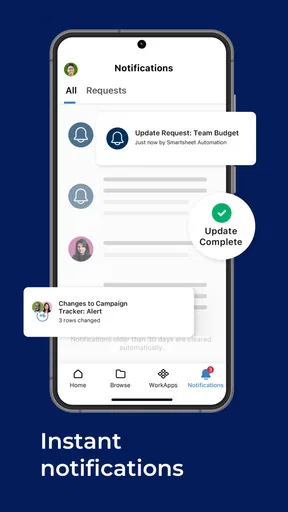
The second issue is notification and update fatigue. Collaboration becomes noisy when every minor change demands attention. The answer is not to stop tracking work; it is to distinguish meaningful changes from routine movement. Teams should agree on which updates require discussion and which can simply remain visible in the project. Otherwise, Smartsheet may reproduce the same interruption problem that it was meant to solve.
Another limitation is the gap between a project view and actual execution. Seeing that a task is blocked does not unblock it. The app can expose a dependency, but the team still needs authority, time, and a decision to resolve it. Users who expect AI-powered project assistance to make difficult trade-offs on their behalf may be disappointed. The intelligent layer can support organization, yet accountability remains a human responsibility.
I also would not use Smartsheet as the only tool for every kind of communication. Sensitive conversations, rapid discussion, and informal team connection may work better elsewhere. The danger is trying to force every message into a project record, which makes the workspace harder to read. A good workflow gives each tool a job: Smartsheet for structured work and durable status, another channel for conversation that does not need to become permanent project data.
Compared with a spreadsheet, Smartsheet feels more purpose-built for collaboration because the project context and responsibility are easier to preserve. Compared with a lightweight task app, it offers more room for coordinated work but asks more from the user. Compared with a chat platform, it is better for maintaining an organized record and worse for spontaneous back-and-forth. Those comparisons explain its position clearly: it is not the simplest option, but it is more useful when the cost of scattered information is already visible.
Who should keep it and who should skip it
I would recommend it to a project coordinator who spends too much time requesting updates, to a small business that needs a shared view of client deliverables, and to a distributed team that wants responsibilities recorded in one place. It also suits people who have outgrown personal checklists but do not want to build a complicated collection of separate tools.
I would be more cautious for someone managing only personal errands, a tiny number of uncomplicated tasks, or work that changes too quickly to justify structured tracking. If your main need is a fast reminder list, the extra organization may become friction rather than help. I would also hesitate if your team has no agreement about ownership or refuses regular cleanup. In that situation, a simpler tool with fewer expectations may be more successful.
Before committing, I would run a short trial around one real project rather than creating a theoretical workspace. Choose work with a clear beginning and end, invite only the people involved, and check whether the app reduces status questions after everyone has used it for a while. If the team still relies on private messages for the real answers, the problem may be adoption rather than capability.
That trial also answers practical questions about device access and daily effort. Users on compatible devices can test whether the mobile app is enough for quick updates and reviews, while more detailed planning can be reserved for the workflow that feels most comfortable. The key is to judge the complete routine, not one impressive setup session.
My long-term verdict
After the novelty fades, Smartsheet remains useful when a team treats it as a living project record rather than another place to paste tasks. Its recurring value comes from reducing ambiguity: who owns the work, what is waiting, what changed, and where a decision is needed. Those are practical benefits that can survive month after month because they address a recurring business problem.
Its weakness is equally durable. The app can become a maintenance project if users track too much, create inconsistent structures, or let updates go stale. I would not install it simply because every team seems to need project software. I would install it when scattered coordination is already costing time and when at least one person is willing to protect the quality of the shared workspace.
For me, Smartsheet: Projects & Teams earns lasting space for structured teams, recurring client work, and projects where visibility matters more than minimalism. It is free to try, rated for Everyone, and developed by Smartsheet Inc., but its real price is attention: someone must shape the workflow and keep it honest. If you can accept that responsibility, it is a capable business app with value beyond its first-week appeal. If you only need a quick personal list, I would choose a lighter alternative and avoid adding a system that you will have to maintain.
Pros
- Flexible project views include grid
- card
- Gantt
- and calendar formats.
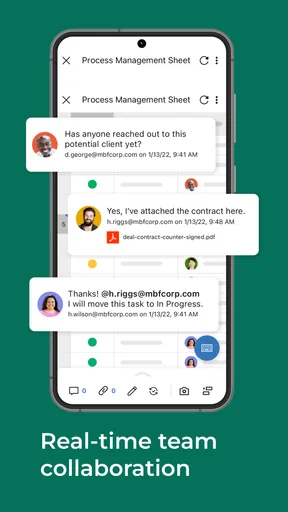
- Real-time collaboration keeps comments
- updates
- and assignments in one place.
- Automations can reduce repetitive reminders
- approvals
- and status updates.
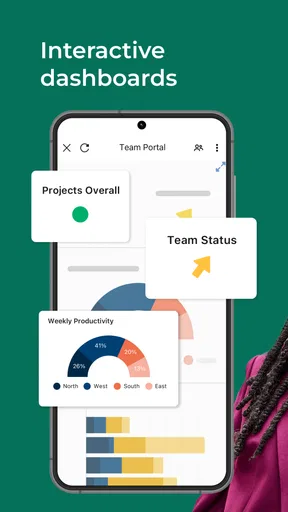
- Custom dashboards make it easy to monitor project health and key metrics.
- Works well with many business tools through integrations and connectors.
Cons
- Many advanced features require expensive plans or administrator access.
- The interface can feel overwhelming for first-time users.
- Mobile editing is less convenient for complex sheets and large projects.
- Large workspaces may become difficult to organize without strict naming rules.
- Some integrations and controls may require technical setup or training.
FAQs for Smartsheet: Projects & Teams
What is Smartsheet: Projects & Teams used for?
Smartsheet: Projects & Teams is a work management app designed to help teams organize projects, track tasks, manage deadlines, and collaborate from a mobile device. After reviewing its workflow, it feels most useful for business projects that require shared status updates, task ownership, file access, and progress visibility rather than simple personal to-do lists.
Can I use Smartsheet: Projects & Teams on Android and iOS?
Yes, Smartsheet provides mobile access for both Android and iOS devices, allowing users to view and update work while away from a desktop. The exact experience can vary depending on the device, operating system, account permissions, and company settings. Before downloading, check that your phone meets the current requirements and that your organization supports mobile access.
Is Smartsheet: Projects & Teams free to use?
The app can generally be downloaded without paying, but access to Smartsheet features usually depends on the type of account or subscription connected to it. Some users may receive access through their employer, school, or organization, while others may need a paid Smartsheet plan. Review the current pricing and plan limitations before relying on it for professional work.
Can I manage projects and collaborate with my team from the app?
The mobile app is built for collaboration and lets users review assigned work, update task progress, communicate around projects, and access shared information when permissions allow it. It is convenient for checking deadlines or making quick updates, although complex sheet design, advanced configuration, and detailed project setup may still be easier to complete from the desktop version.
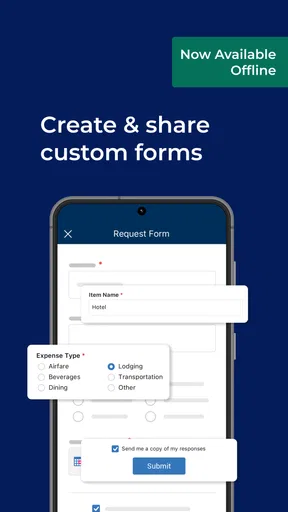
Does Smartsheet: Projects & Teams work offline?
Offline availability may be limited compared with the full online experience. Many Smartsheet functions depend on an internet connection to synchronize changes, load current project data, and support collaboration. If you expect to work in areas with poor connectivity, test the app with your account beforehand and confirm which information or edits remain available until your device reconnects.


